Coming soon
Kuju Email.One inbox. Many modes.
Pick the one that fits the moment, or move between them as the work changes. Calendar, contacts, search, and security come along. We are still building; here is what it will be.
The mode follows the moment.
Standard mode · the default workhorse
The default workhorse.
Triage, reply, file. The mode you live in.
Smart Inbox lanes group messages by intent: Pinned, Waiting, CC'd, Other. Reply drafts read the thread first, then suggest a response you can edit. MessageAnalysis extracts key points, decisions, and action items. Activity Feed tracks what changed across your inbox.
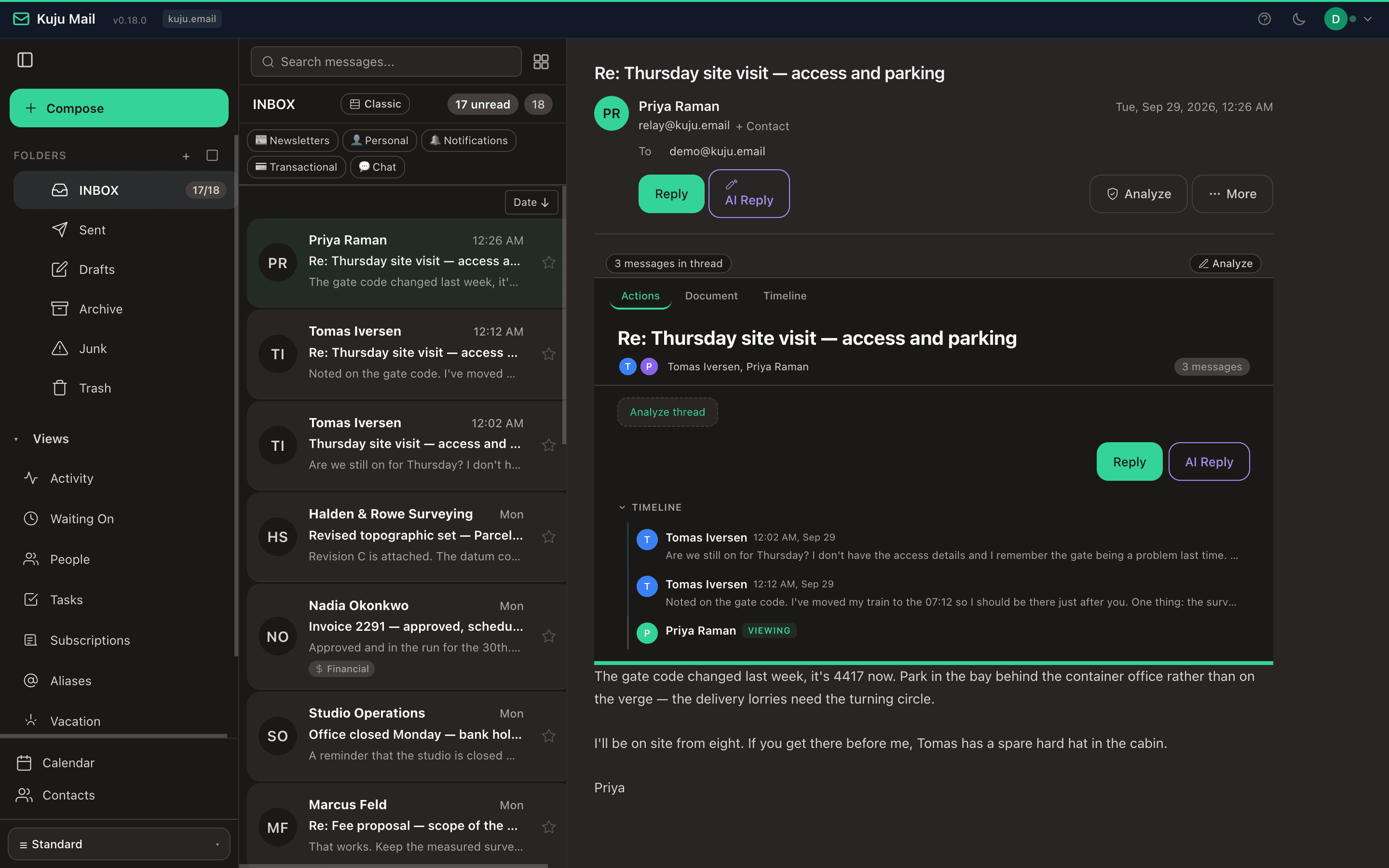
- Smart Inbox with intent-classified lanes
- Reply drafts (with thread context)
- MessageAnalysis (key points, decisions, action items)
- Activity Feed
Magazine mode · an editorial reading room
An editorial reading room.
Newsletters and long-form correspondence.
Sender-grouped layout. Each newsletter's most-recent issue gets a featured headline and lede; older issues collapse into a quiet entries list. A full-replacement reading lane opens in place: j/k to move within a sender, J/K across senders, Esc to return. A Subscriptions page lists the newsletters and mailing lists you receive, how often each arrives, and how many you read.
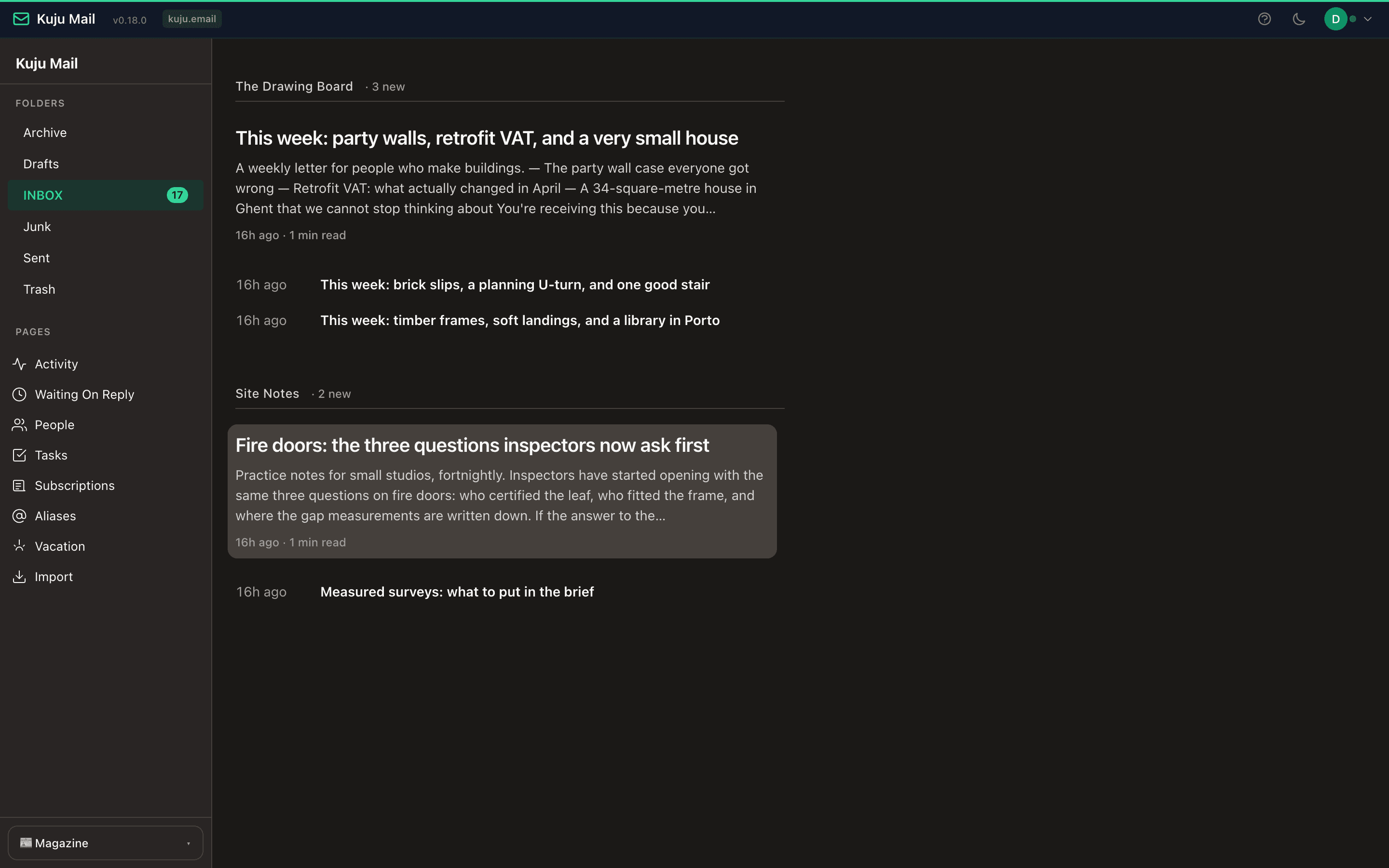
- 01Featured + entries layout per sender
- 02Full-replacement reading lane
- 03Keyboard navigation (j/k, J/K, Esc)
Timeline mode · scan and glance
Scan and glance.
When you want to see what's there, not act on it.
Dense single-line rows: time, sender, subject. Per-day grouping ends at a quiet "Caught up" line. Hover a row to lazy-fetch a subject preview. Smart routing sends newsletter taps to Magazine; everything else opens in Standard.
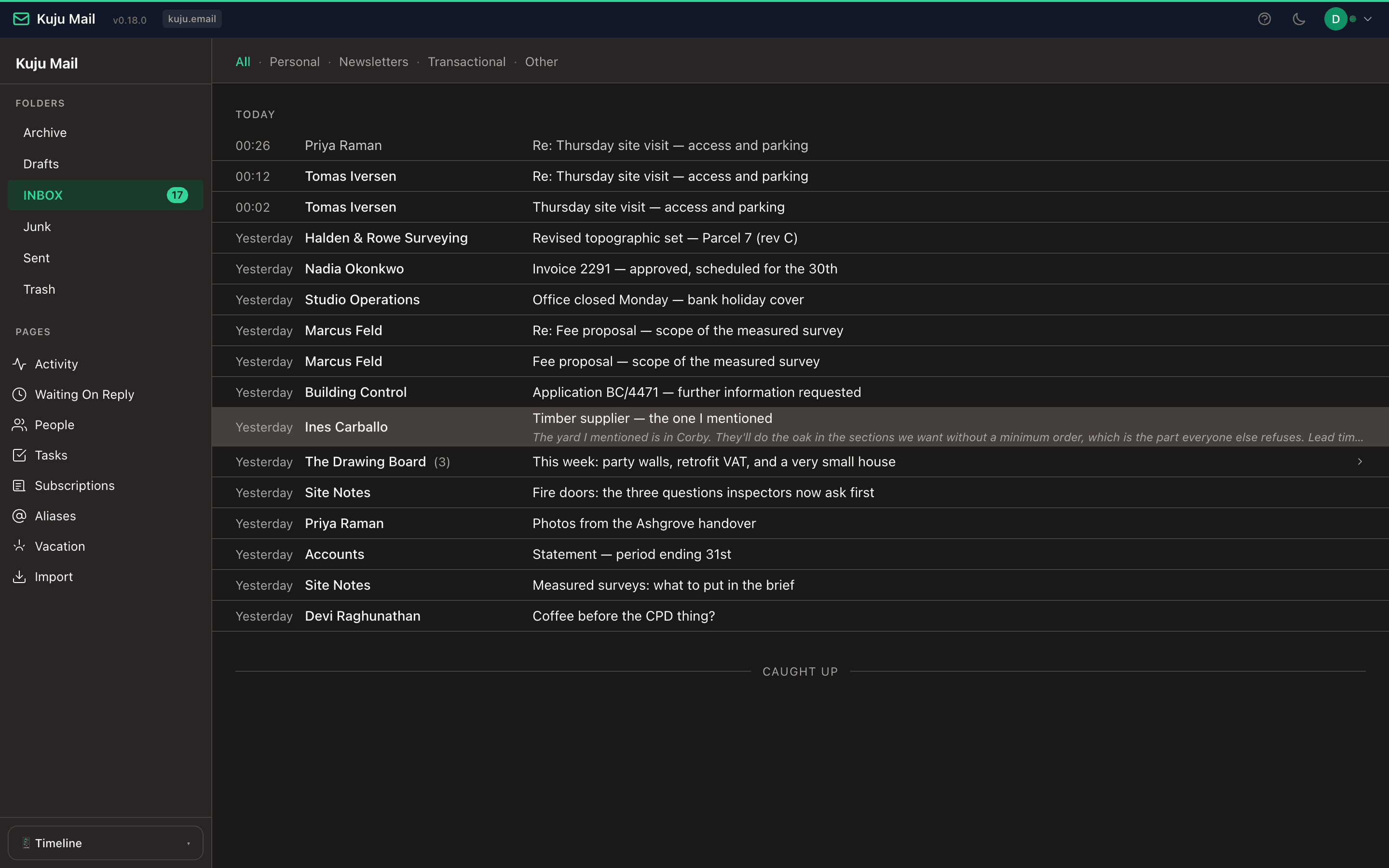
- Briefing-strip layout
- Per-day grouping with caught-up termination
- Smart routing across modes
terminal mode · for the keyboard
For the keyboard.
Power users. No pointer required.
A keyboard-driven interface inspired by Mutt and Pine. Vim-style keybindings, command palette, structured monospace output, and configurable color schemes. A full inbox without ever touching the mouse.
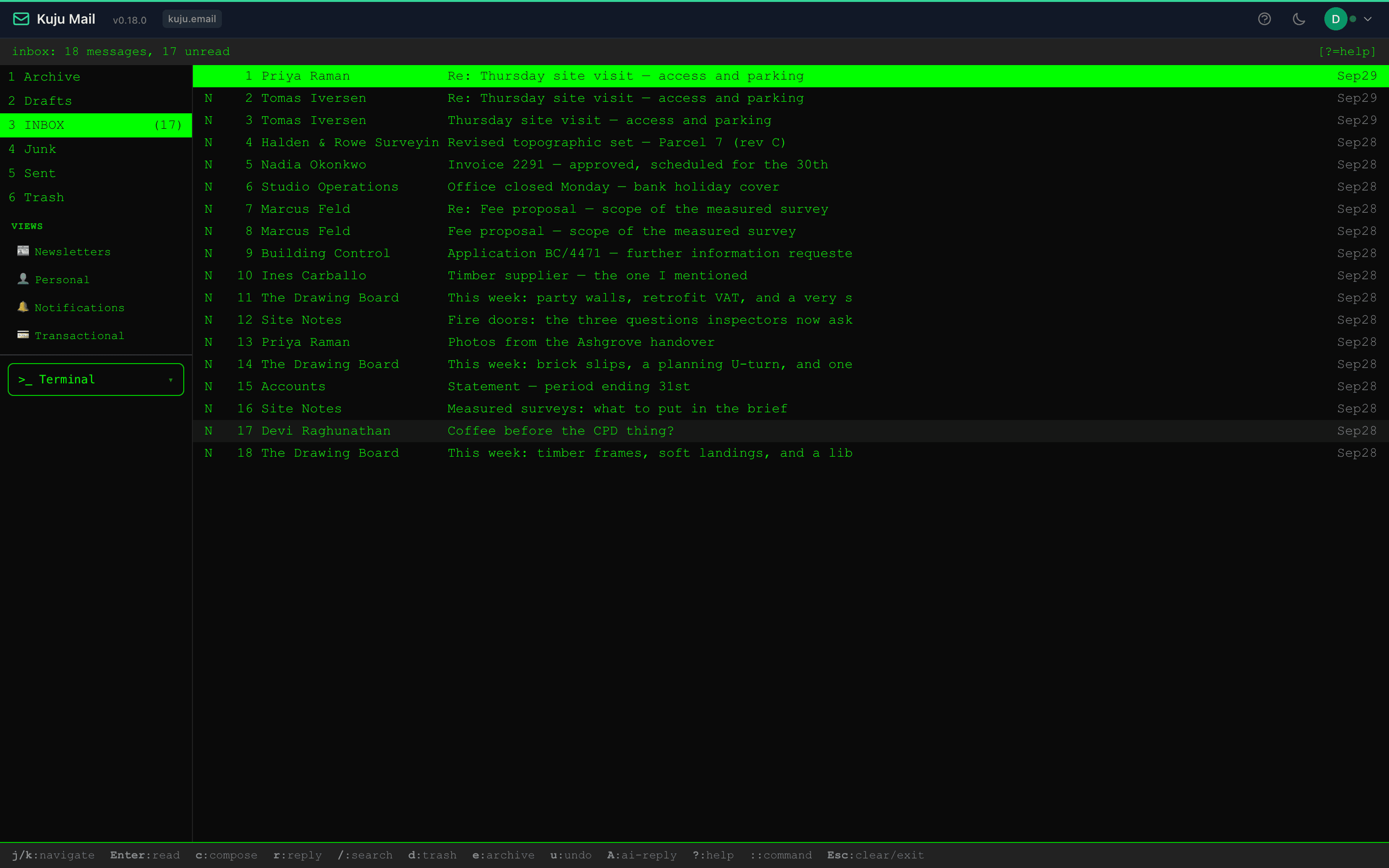
- ›Vim-style keybindings
- ›Command palette
- ›Configurable color schemes
What sets Kuju Email apart
Six things that will be there on day one. The full feature catalog lives in the User Guide and API Docs.
Defense in depth, by default
rspamd scoring on every inbound message, on-demand link-safety checks (optional), message intelligence with SPF/DKIM/DMARC and relay-hop tracing, virus attachments stripped automatically while the message body still arrives, and every message displayed in an isolated frame.
Quarantine, not silent rejection
Messages convicted of authentication laundering are held in a recoverable quarantine rather than bounced into the void. Per-domain junk, drop, and expiry thresholds decide what lands, what waits, and for how long.
Multi-domain, multi-tenant
Per-domain admin delegation, branded webmail hostnames with automatic TLS, retention policies, partitioned storage, and per-domain spam thresholds. Tenants are fully isolated.
Bring your existing mail
Import from any IMAP mailbox — Gmail, Outlook, or an old server you are leaving behind. Kuju tells you how large the mailbox is before anything moves. Folder structure, flags, and dates survive the move, and duplicate detection means a re-run picks up where it stopped instead of doubling your inbox.
Native CalDAV and CardDAV
RFC 4791 calendar and RFC 6352 contacts that sync with Apple Calendar, Thunderbird, and any standard client. One-click "add to calendar" from detected dates in messages.
Modern authentication
TOTP two-factor, WebAuthn passkeys for passwordless login, automatic JWT key rotation, CSRF double-submit cookies, and encrypted secrets storage backed by Vault, OpenBao, AWS, GCP, or Azure. A password change, or an administrator suspending an account, ends every signed-in session at once.
Powered by KumoMTA. Every message Kuju Email sends or receives passes through KumoMTA, the open-source mail transfer agent.
How a message reaches you
Every message passes through four checks
before it reaches you.
We watch each arrival in four passes: the sender, the path, the contents, and the handoff. None of them ask you to think.
- ✉ a message
Identity
who sent this?
Path
where did it come from?
Contents
is it safe to open?
Handoff
does it arrive intact?
- → your inbox
Unfamiliar terms? Email security glossary →
Hidden detail isn't reassuring — visible, quiet detail is. We'd rather teach you the words than hide them.
How moving will work
Three steps, once Kuju Email opens up. No downtime, no data loss.
Tell us you want in
Kuju Email is in private development. Send a note and we will add you to the launch list, with a working demo ahead of general availability.
Bring your domain
At launch you point your MX, SPF, and DKIM records at Kuju. We provide the exact values to copy into your DNS provider — no guesswork, no downtime window. If Kuju's main mail server is ever unreachable, a backup accepts your mail and delivers it once the main server returns.
Import and go
Pull your existing mail across from any IMAP server. Folders, flags, and dates come with it, and duplicate detection makes the import safe to re-run.
Not open yet. Worth watching.
Kuju Email is in private development. Tell us what your team needs from its email and we will come back to you before launch — the roadmap is still soft enough for that to matter.